Metronomious
What it is
A metronome built for live performance. Most metronome apps are designed for practice — a lot of controls, a lot of information, a lot of friction. Metronomious is designed for the moment before a song starts: open it, read the number, play.
It started as a personal tool I built for leading worship sets. I needed something that could hold a full setlist, let me tap the tempo of an unfamiliar song, and switch presets without looking away from the room.
Download on the App Store — currently holding a staggering 5-star rating, friends and family included.
V1
The first version was built with HTML, CSS, and JavaScript wrapped in Capacitor for iOS. The goal was to get something in my hands quickly and iterate on real use.
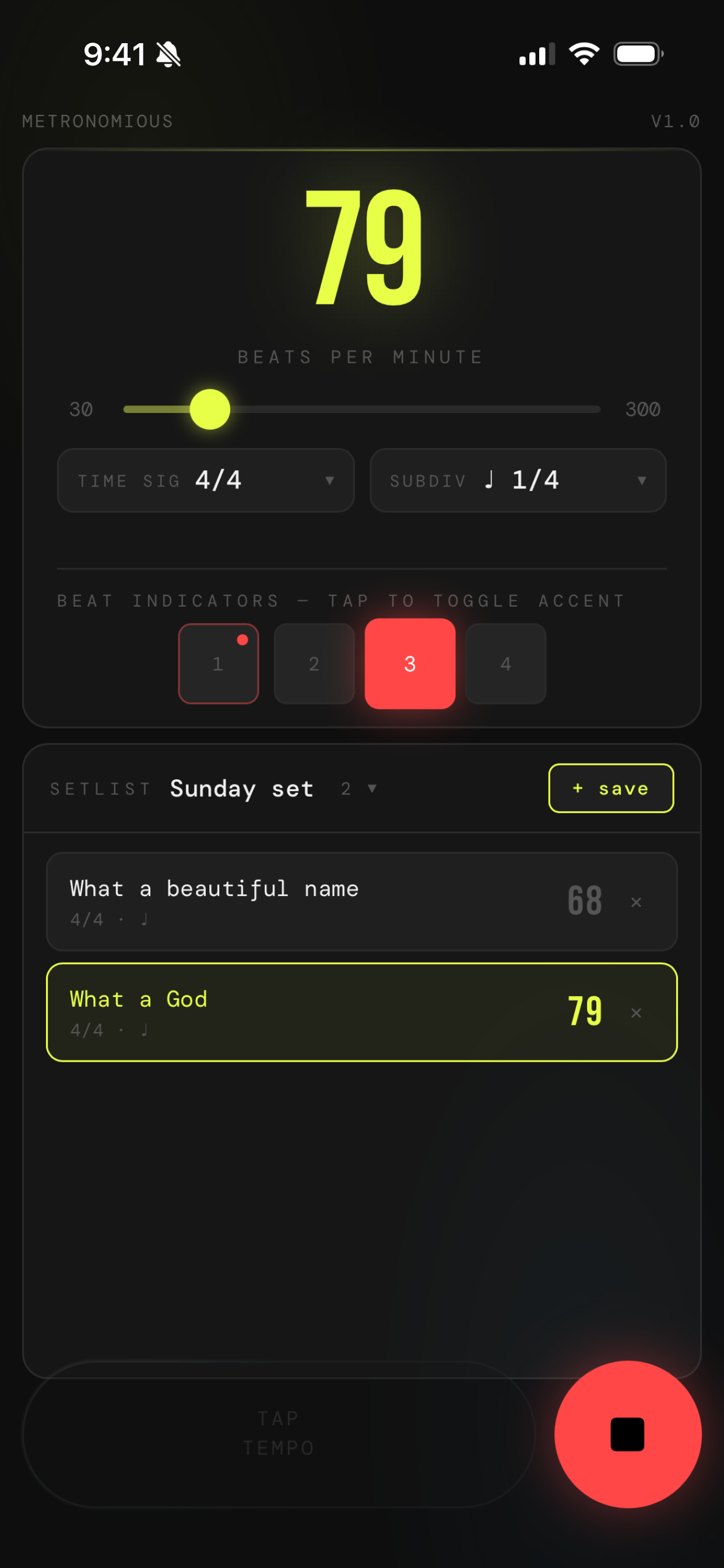
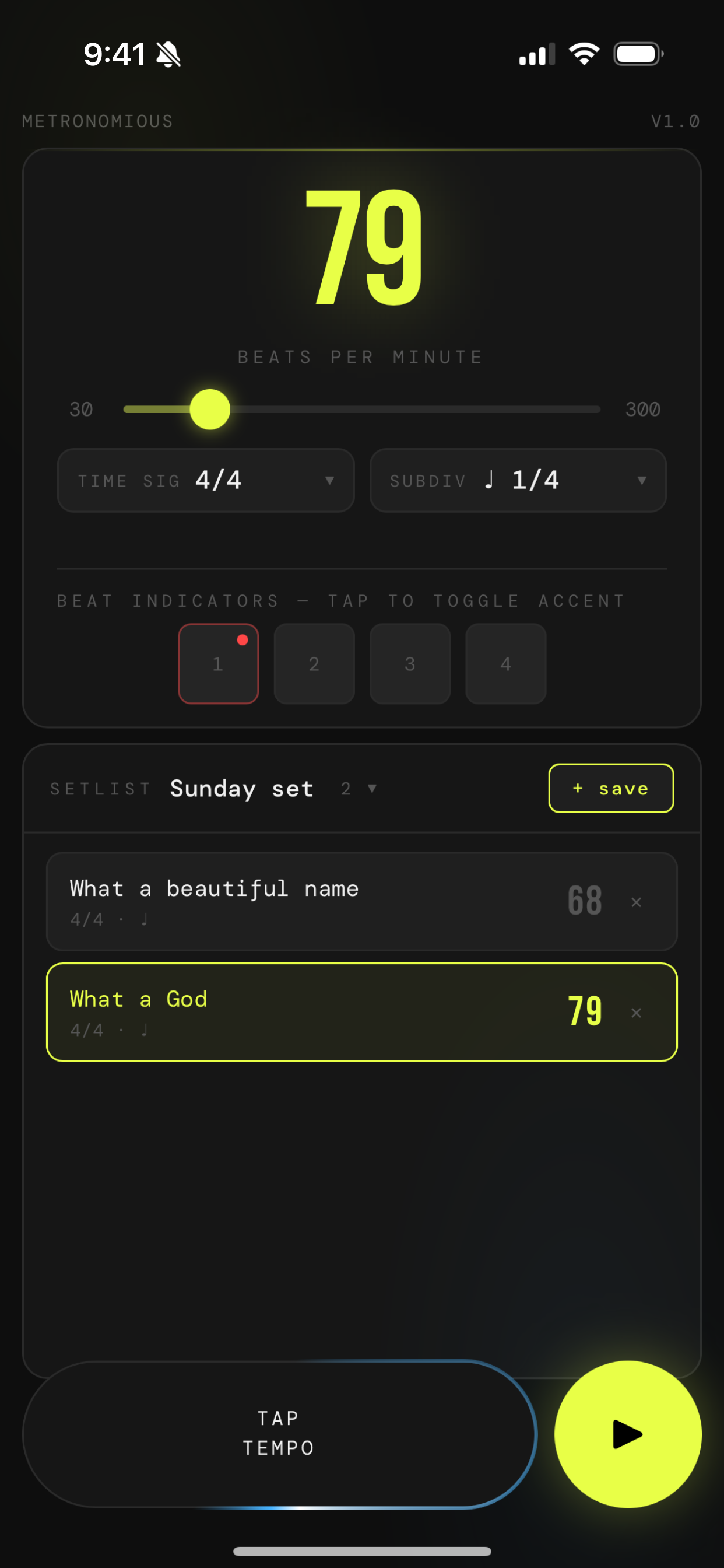
It did the job. But using it on stage revealed the real problem — it felt too technical and busy. There was too much to look at when you just needed one number. The goal became clear: strip it down to the essentials and make every interaction as simple as possible.
V2
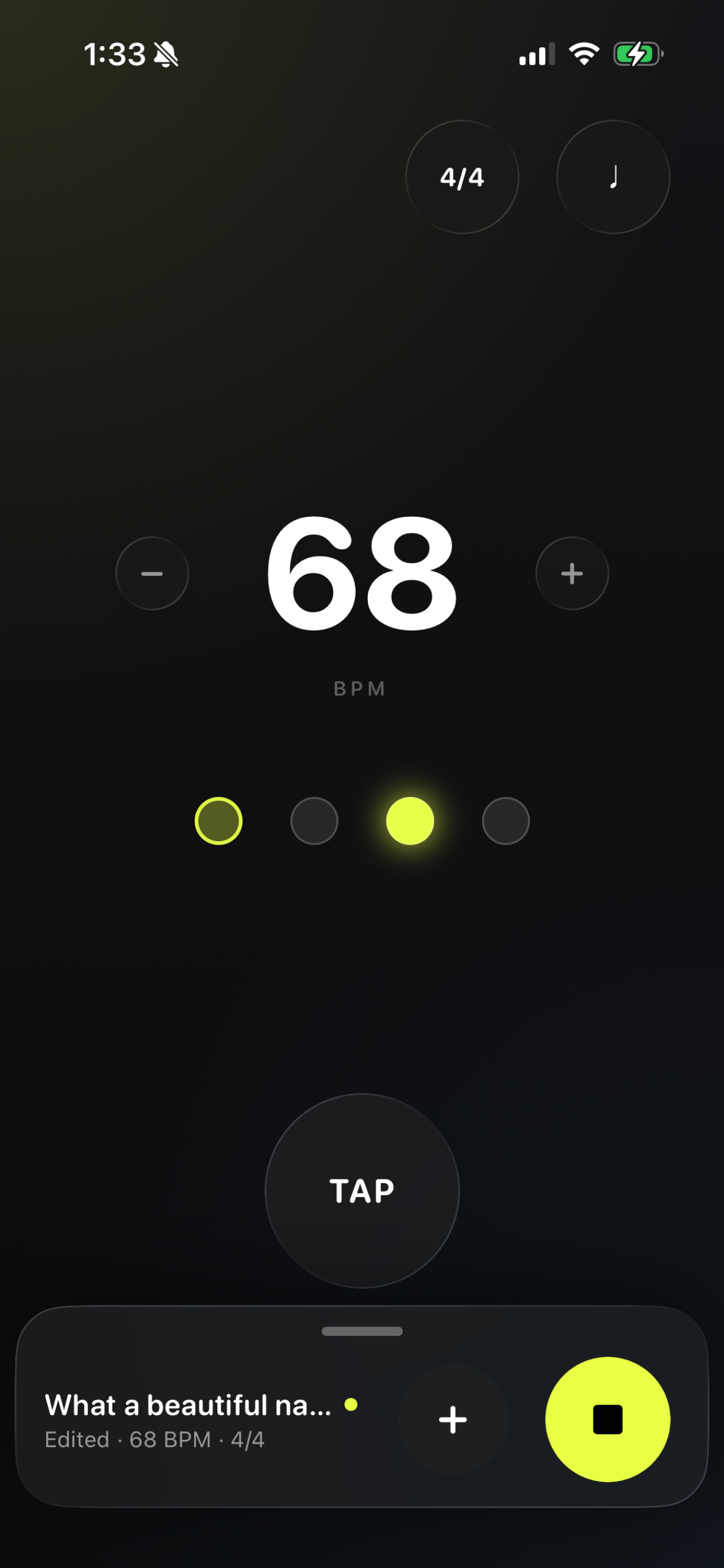
Redesign
I rebuilt the app from scratch in SwiftUI. The design principle was simple: anything that doesn’t need to be on screen right now shouldn’t be.
BPM is the only thing that matters when you’re about to play. It fills the center of the screen in white — readable at a glance from a music stand. The yellow-green accent moved off the number and onto the beat dots, where it’s more meaningful.
The slider became ±1 nudge buttons. Flanking the number, always in the same place. One tap adjusts by one. That’s the actual use case.
Beat dots replaced numbered tiles. A circle pulsing with the current beat communicates rhythm more directly than a highlighted square with a number inside. Tap any dot to toggle its accent.
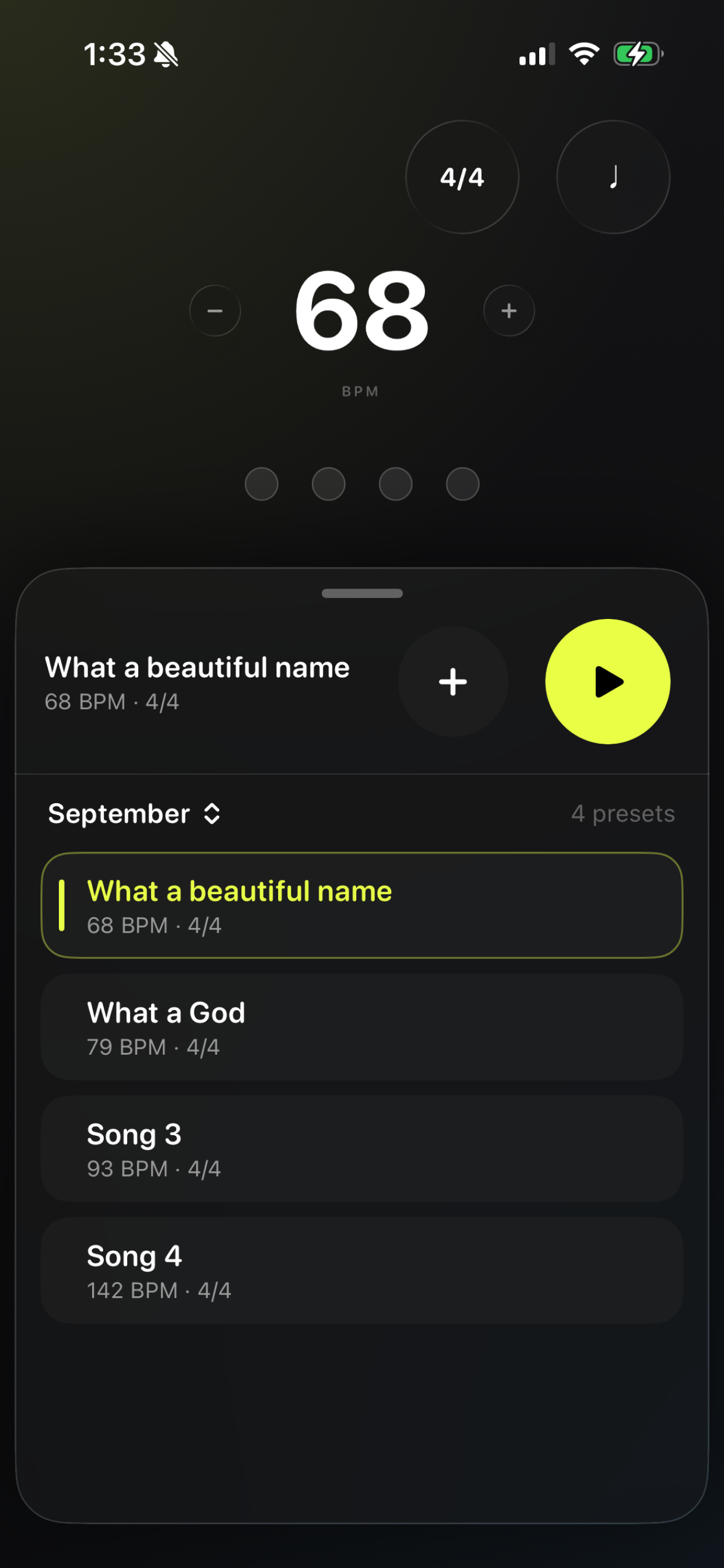
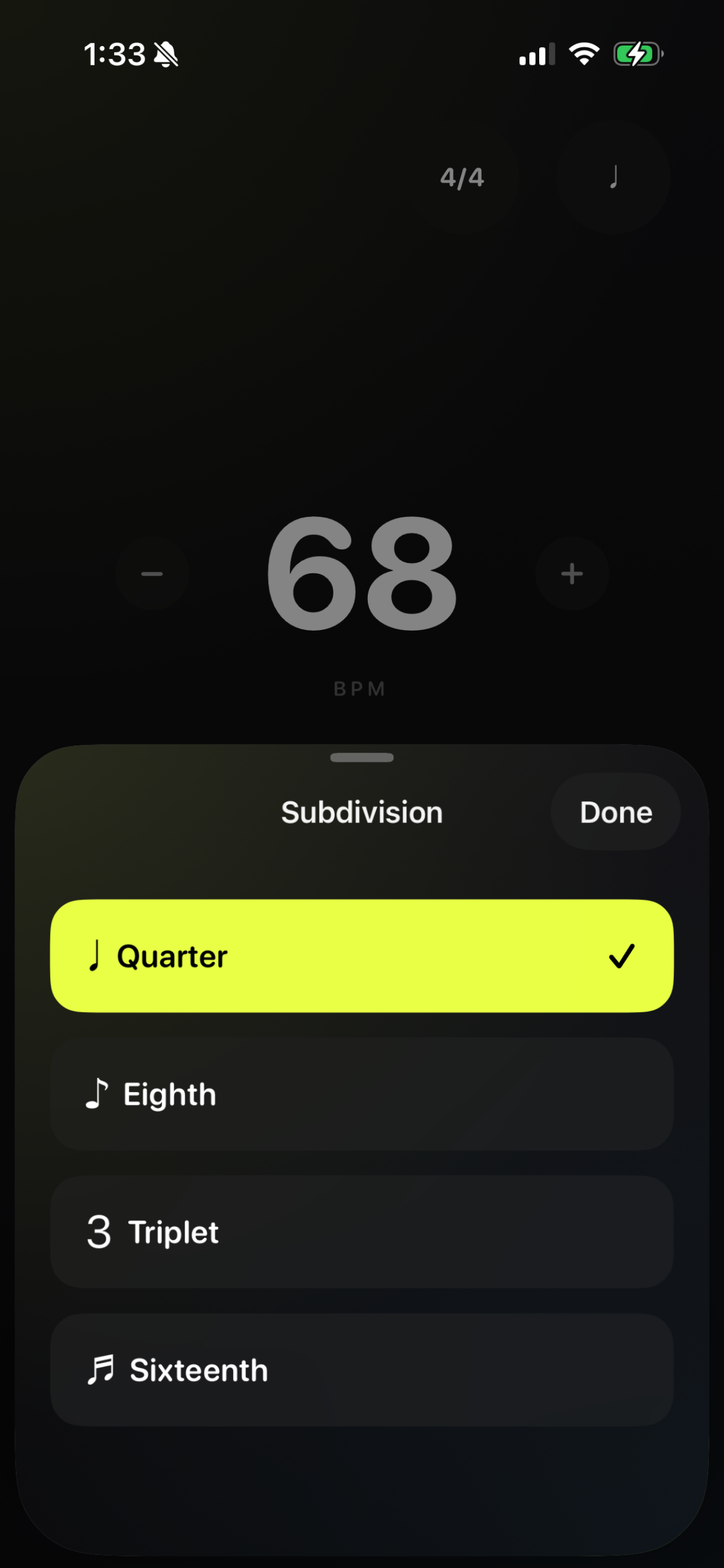
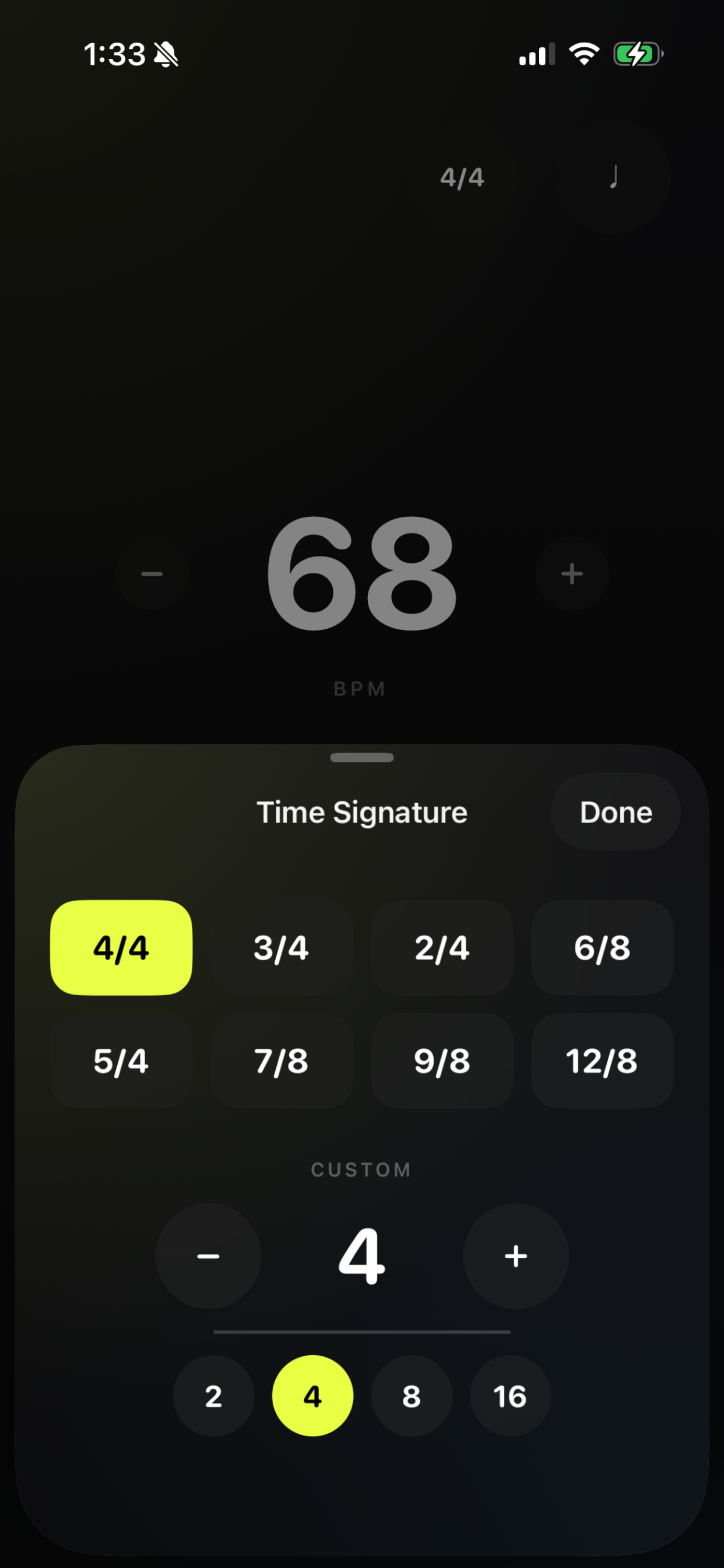
Everything else went into sheets. Time signature and subdivision each live in a modal sheet, opened by the two glass dials in the top corner. The setlist lives in a draggable bottom sheet that peeks just enough to show the active song — pull it up when you need it, let it collapse when you don’t.
How it works
The audio is scheduled 100ms ahead using AVAudioFramePosition. A CADisplayLink running on the main thread compares each frame’s audio sample position against the queue of pending beats, advancing the accent dot only when the sample time is reached — so the visual is locked to the actual click, not to a timer.
MetronomeEngine is a custom Swift class that keeps the audio thread and UI thread cleanly separated. All state the views bind to lives in MetronomeModel (an @MainActor ObservableObject), which receives beat callbacks via a closure and dispatches them back to the main actor with a Task.
Next steps
Metronomious is a free download on iOS. A tempo-finding feature (tap the ear icon to have the app listen and suggest a BPM) was added in a recent update, along with previous/next preset navigation for stepping through a set without touching the setlist.